Short post to demonstrate how to use AWS Cross-account access from AWS Console. To re-iterate this is what we what we have set up in our previous post:
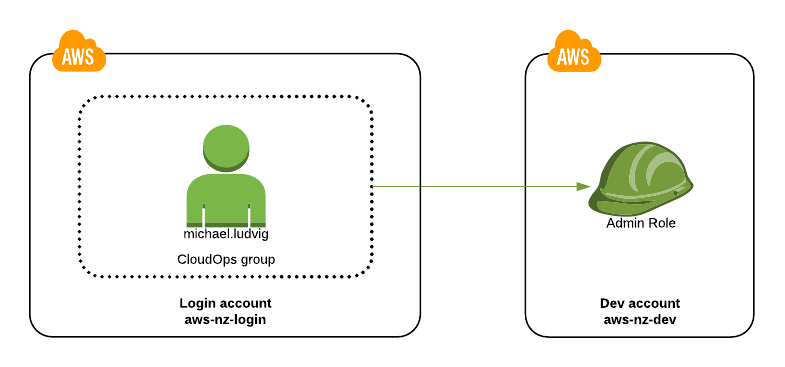
Login to the aws-nz-login account
First step is to login to the aws-nz-login account as an non-privileged IAM user, e.g. as michael.ludvig in my case.
Select Switch Role
In the top-right menu under your IAM username select Switch Role link.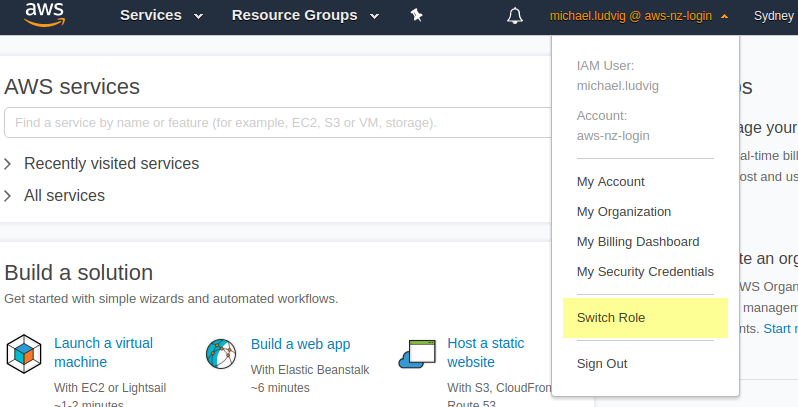
Dev account Role details
Fill in the Dev account name and Role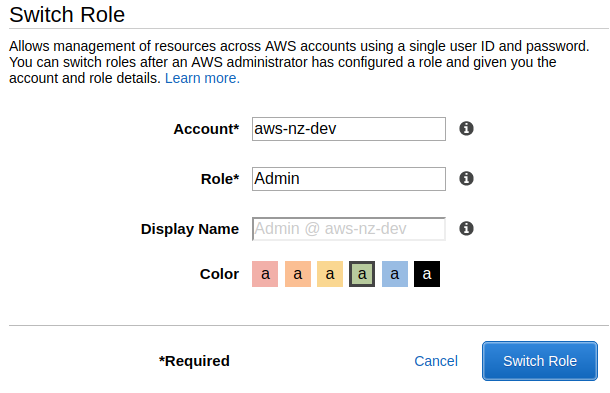
Work as Admin @ aws-nz-dev
Now you are logged with Admin role and can work in the Dev account.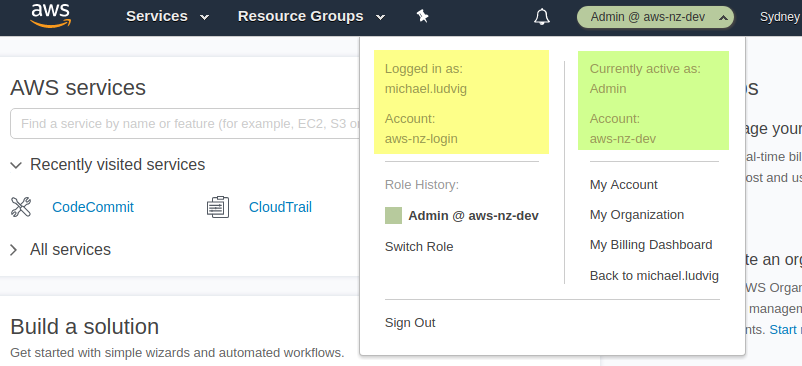
The next time
Switching Role the next time is easier as the details will be remembered by your browser.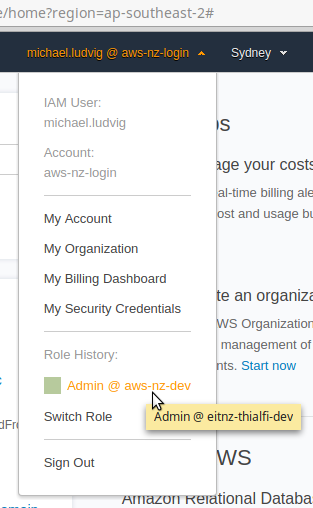
Handy Shortcut
Unfortunately there is only a limited number of accounts that the browser remembers. You can however create Bookmarks that take you straight to the Switch Role page.
https://signin.aws.amazon.com/switchrole?roleName={role-name}&account={account-name}
In the next post learn how to use role switching in AWS-CLI and from command line in general.